Your writing studio
Writing software to bring your stories to life
From your first chapter to the final revision, LumenScribe brings your manuscript, characters and notes together in one place. Write and organise novels, essays and stories, with your projects stored on your own computer.
Free Basic plan · 21-day trial of Premium features for eligible accounts
The software
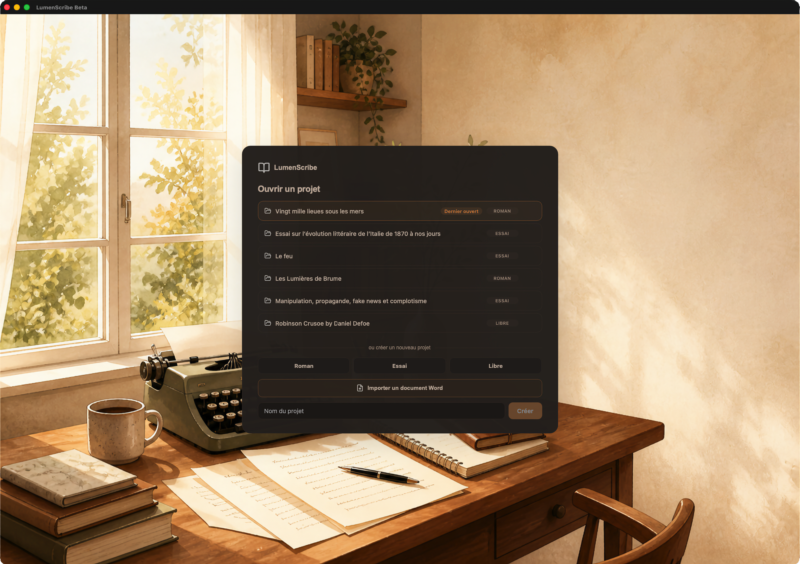
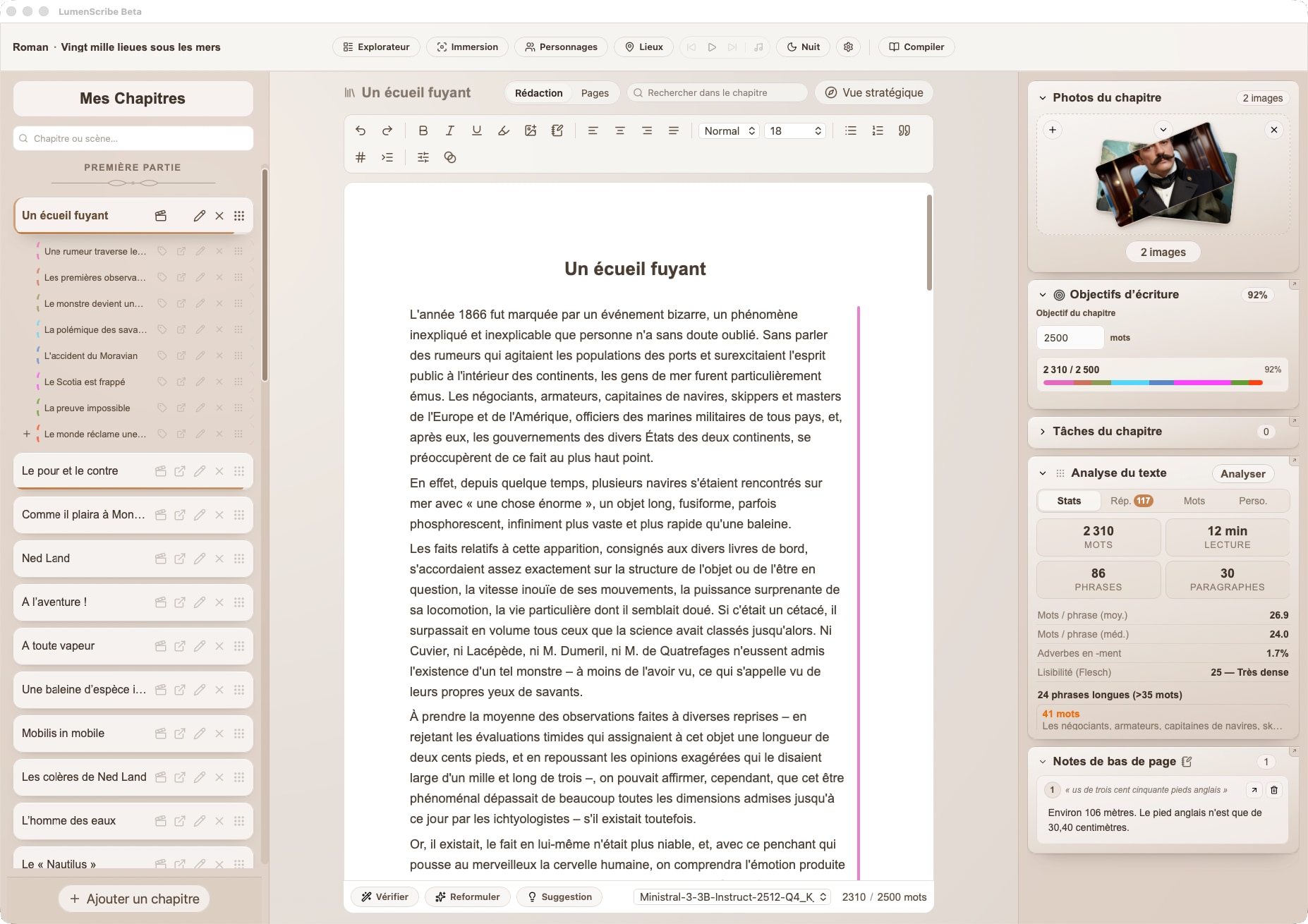
Write and organise your book
Whether you are writing a novel, essay, story or something entirely your own, LumenScribe helps you structure, annotate, illustrate and export your work in one workspace.
Your writing space
Text editor
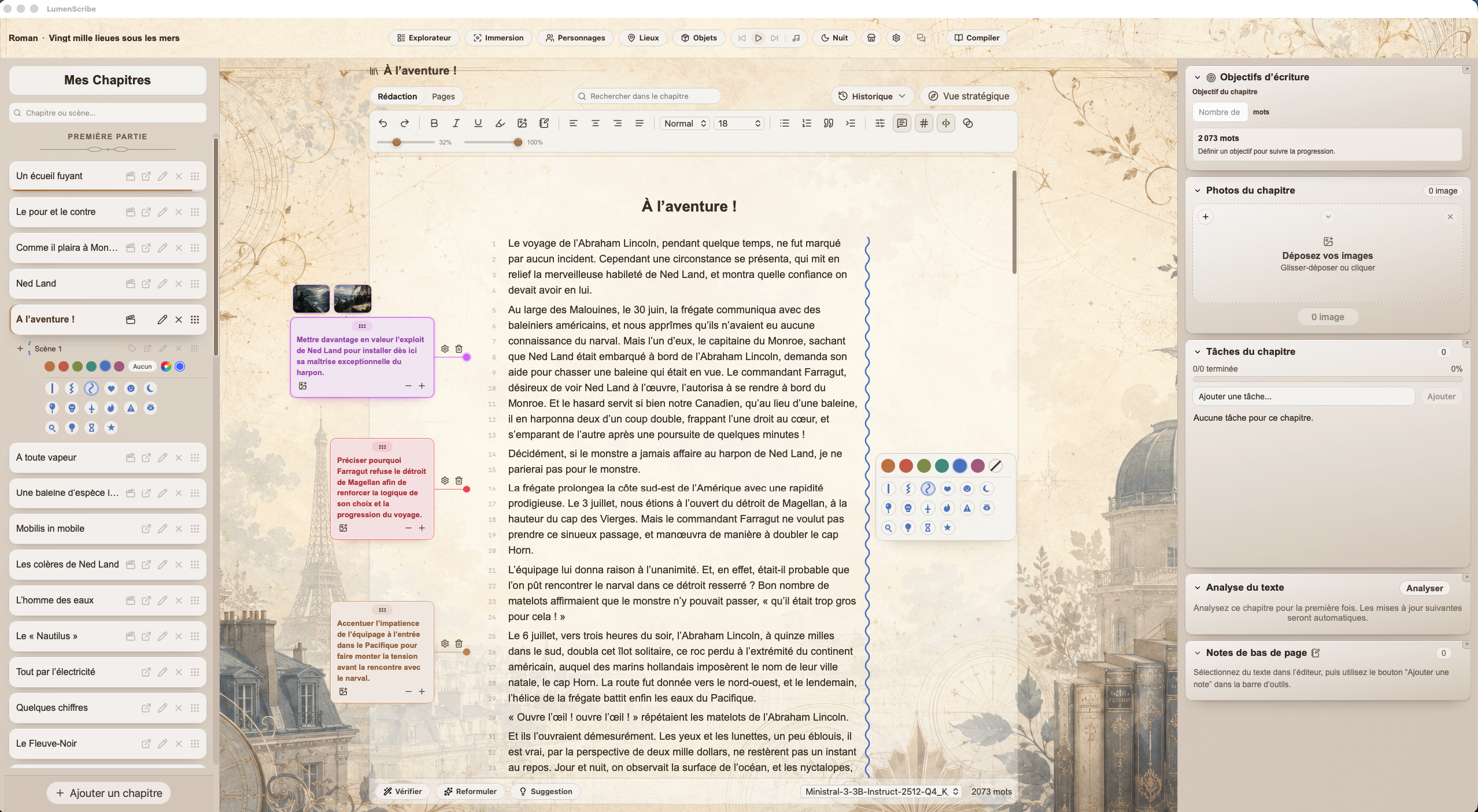
Set the typography for each chapter, format your text freely and work in a clear interface. Everything is designed to help you focus on your words.
Chapters, scenes & notes
Structure a novel, organise an essay or jot down notes to develop an idea without losing your momentum.
.lumen backups
A portable format that lets you keep versions of your project. Your work stays accessible, easy to move and simple to back up.
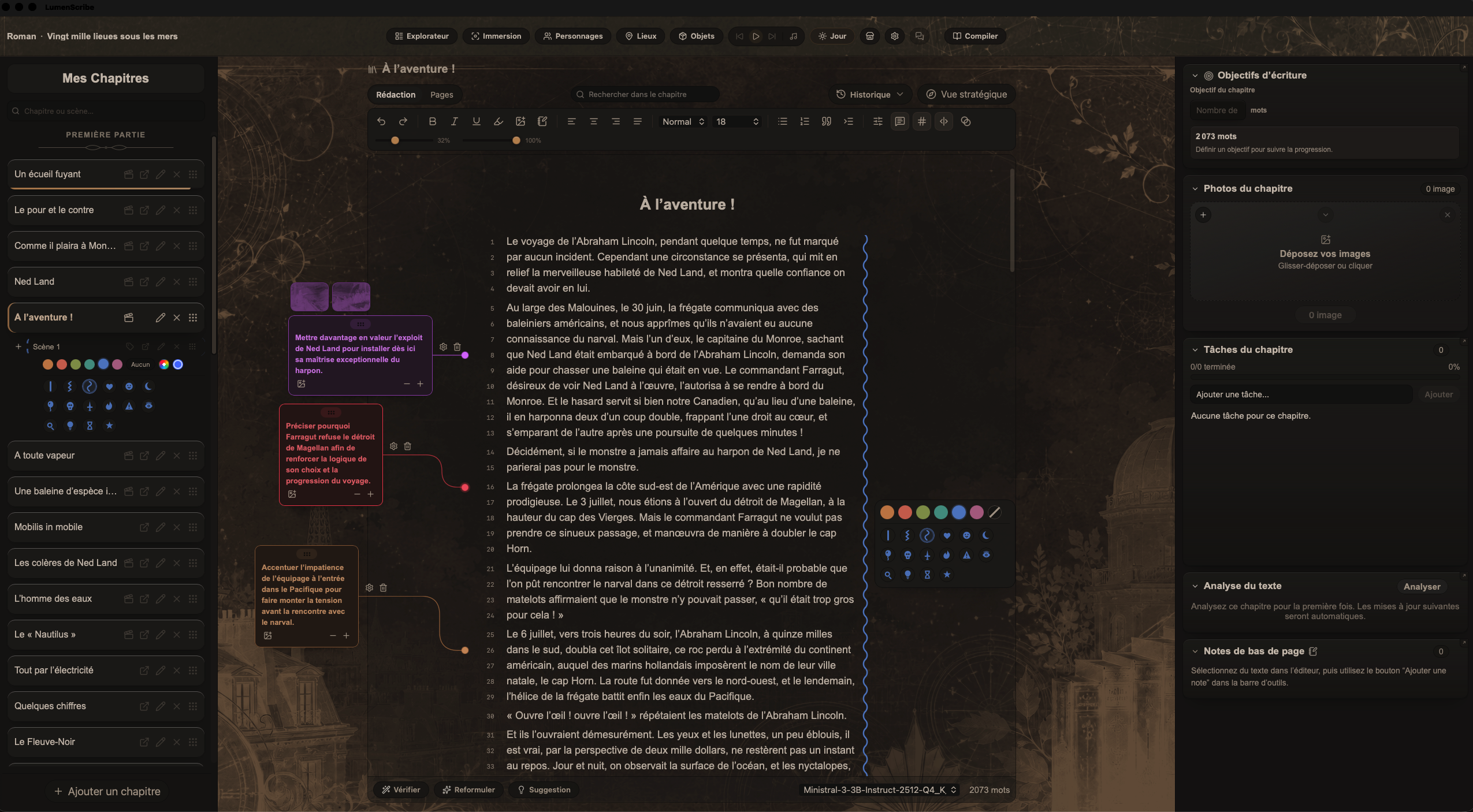
Plan the course of your story
Scene compass
Tension, stakes, turning points and movement. See the shape of a scene before you begin writing it.
Roadmap
Plan your chapters, set a direction for each part and keep your story on course.
Summary
Automatic summaries of your chapters or sections help you keep track, even in a long project.
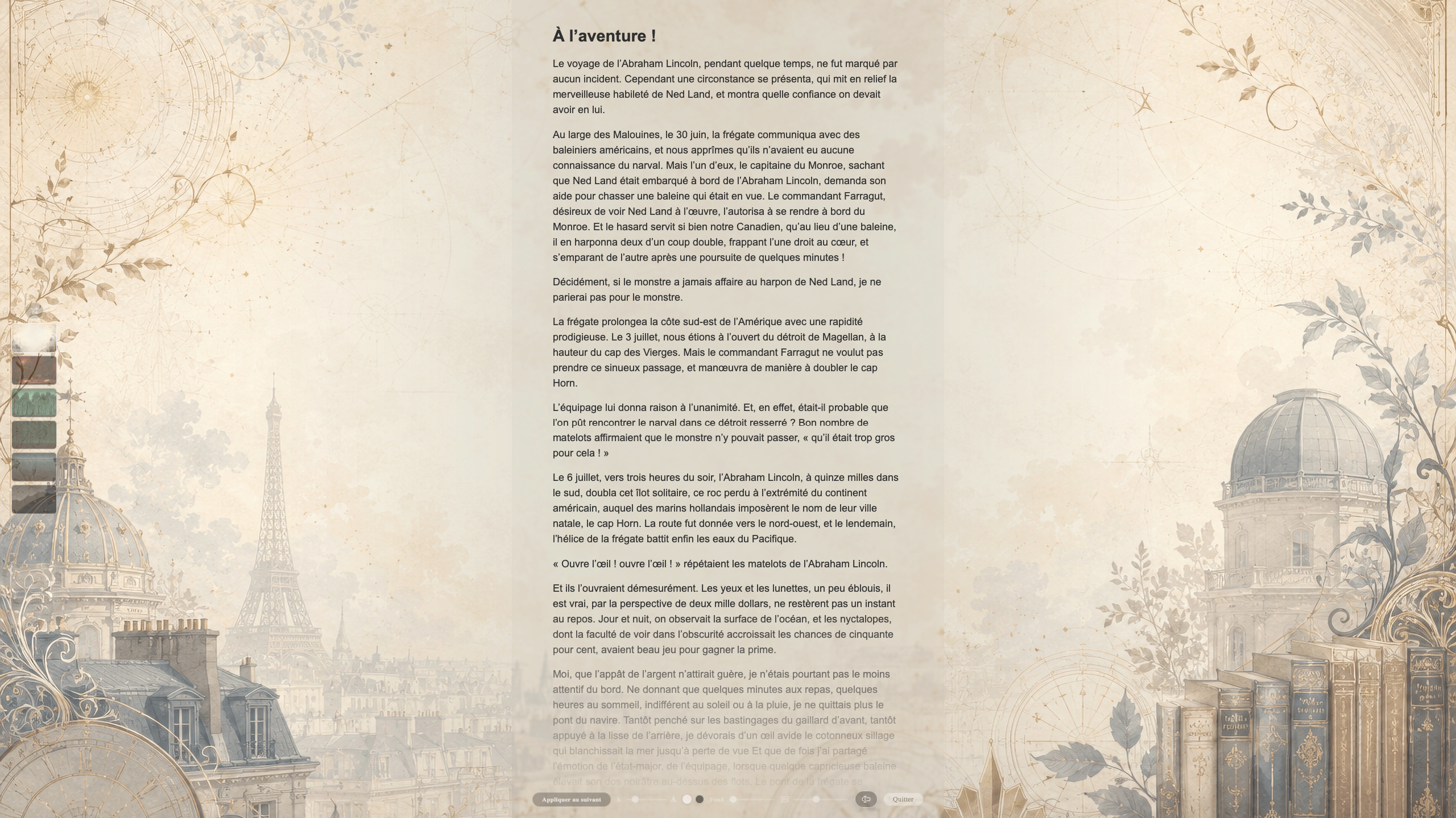
Find your writing atmosphere
Immersion mode
Full screen, typewriter mode and backgrounds. A quiet space to settle into your writing and stay with it.
Music & ambience
Soundscapes made for writing.
Images & inspiration
Add images to your chapters to set the mood, illustrate an idea or inspire your writing.
Keep your characters and story world close
Characters
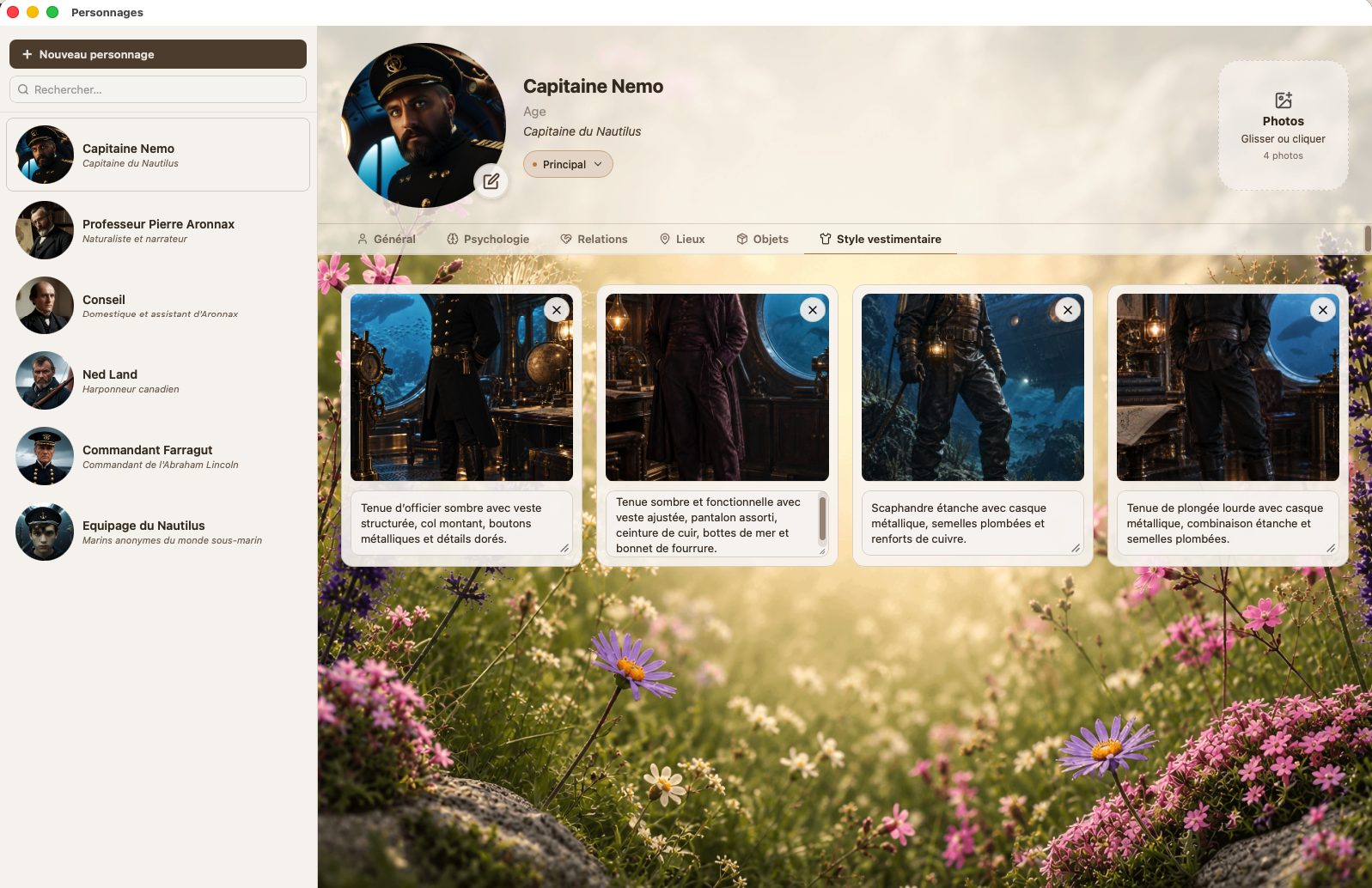
Keep your characters, their traits, relationships and stakes in profiles you can open at any time.
Character detection
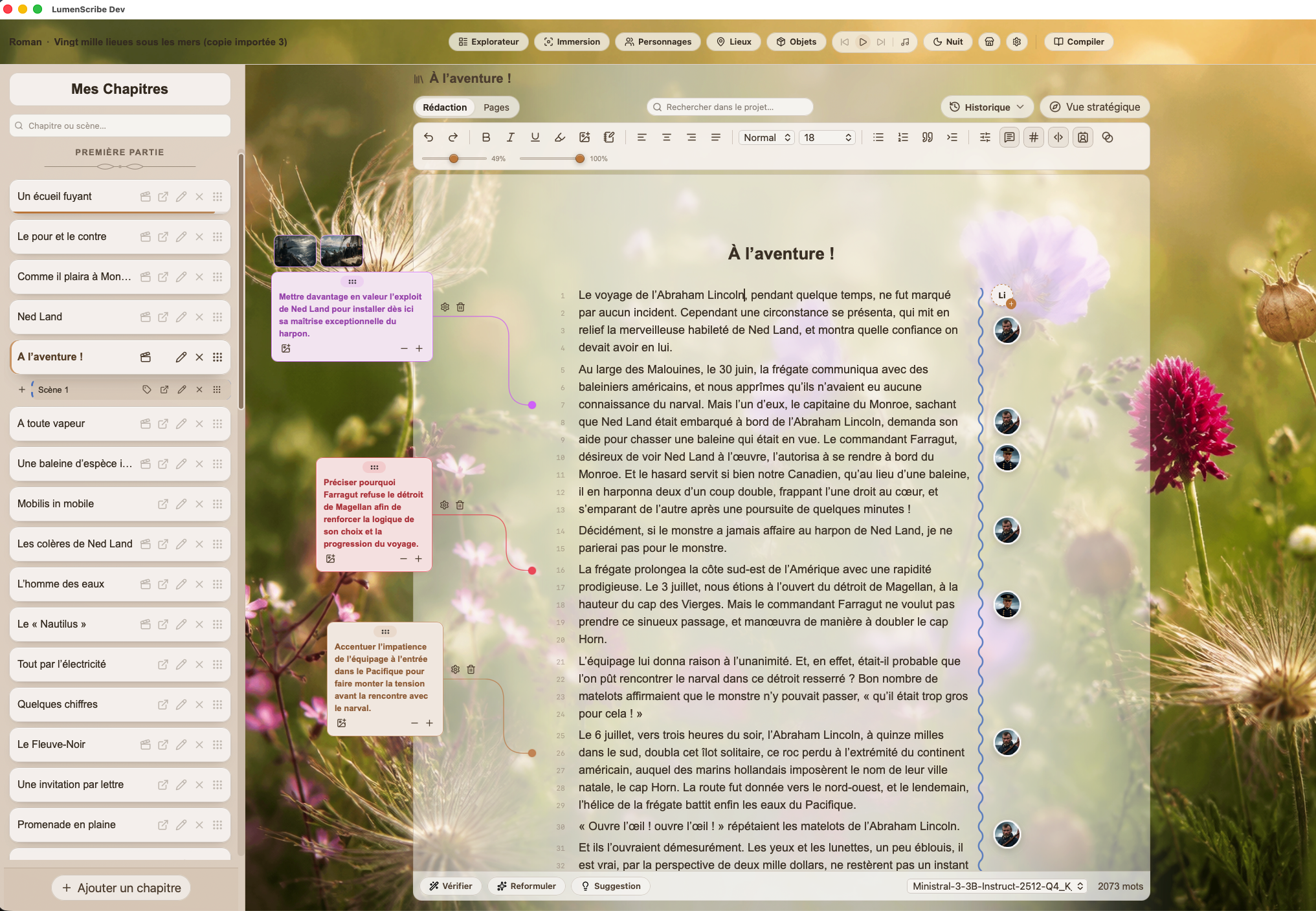
See your characters’ portraits in the right margin and receive suggestions to create profiles for new characters.
Places
Bring your settings, atmospheres and reference points together to keep your story world clear.
Objects
Track important objects, their images, their role in the story and their connections to characters and places.
Project explorer
Browse chapters, sections, notes, characters, places and objects in a space designed to help you find everything.
Annotations
Add notes in the margins, link them to a passage and include images.
Take a fresh look at your writing
Built-in proofreading
Check spelling, grammar and style without interrupting your flow or leaving the editor.
Text analysis
Explore your text’s statistics, readability, repetition and rhythm.
Dictionary and thesaurus
Look up a word’s meaning and explore synonyms to find the right word, a finer shade of meaning or a fresh turn of phrase.
Writing session timer
Track your writing time, set a countdown and choose a word goal.
Session history
Review your sessions, writing time and word-count progress.
Ask your manuscript
Ask questions about your story, find a detail and read the passages behind the answer. The conversation stays on your computer.
Continue an existing manuscript
Import DOCX
Import a Word document after reviewing the detected parts and chapters.
Import ODT
Import a LibreOffice document, with the same preview of parts and chapters as for Word.
Export your work
Export EPUB
Create a structured ebook for reading or sharing on an e-reader.
Export DOCX
Prepare a Word document for editing, submissions or final revisions.
Export ODT
Export your work for reading and editing in LibreOffice.
Export PDF
Create a fixed-layout document for proofreading, sharing, printing or presenting your book.
Export Markdown
Export your text in Markdown with its images in a single archive.
Export IDML
Prepare an IDML file to send your book to a layout designer.
Your space, your files
Your writing stays on your computer
Your projects and manuscripts are saved in your local working folder. You can back up and move your projects in .lumen format.
The software uses an internet connection for account services, licensing, downloads and updates.
Local intelligence
Local AI to support your writing.
Ask your manuscript a question to find a forgotten detail or check your story’s consistency. LumenScribe also helps you proofread, rephrase, summarise and explore new ideas, without sending your writing to a cloud API.
Local acceleration optimised for your platform
Ask your manuscript
An object entrusted to someone, a timeline to check, a forgotten detail… Find the passages you need without losing your train of thought. Ask a question and LumenScribe answers using relevant passages, which you can open directly.
“Who did Anna give the key to before she left?”
“Does the fire happen before or after Paul disappears?”
“How did I describe Paul’s scar?”
Your text and your questions stay on your computer.
Help keep your story consistent. You always have the final say.
Reference price: €39.99
Estimated conversion.
Final amount confirmed at checkout.
Getting started
Frequently asked questions
Is LumenScribe free?
Yes. The Basic version lets you write and organise chapters and scenes, back up your projects and export to EPUB. Eligible accounts can explore Premium features with a 21-day trial. See the plan comparison for the features included.
Where are my manuscripts saved?
Your projects are saved directly on your computer, in your working folder. You stay in control of your writing without relying on cloud storage.
Which formats can I export to?
EPUB export is included in the free version. Premium adds DOCX for Word, ODT for LibreOffice, PDF for sharing or printing, Markdown with images and IDML for professional layout. The .lumen format lets you back up and move the LumenScribe project itself.
What happens after the 21-day trial?
If you do not choose Premium, your account returns to the free Basic version. Your projects stay on your computer: you can keep writing, organising your chapters and exporting to EPUB. Premium-only features are no longer available.
Can I write without an internet connection?
Yes. Once you have signed in and your access has been verified, you can write offline. Internet access is still needed to download and activate the software, get updates and periodically renew your access validation. You do not need a continuous connection to write.
Can I continue a manuscript started in Word or LibreOffice?
Yes. Import accepts Word .docx and LibreOffice .odt files and creates a new project after you review the detected parts and chapters. It is included in the free version. For an older .doc file, save it as .docx in Word first. Images, table layouts, text boxes and comments are not carried over; check the preview and any warnings before confirming the import.
Is LumenScribe only for novels?
No. You can also write essays, stories or any other kind of text. Arrange your project into chapters and scenes as needed, and use the tools that suit the way you write.
“A good tool steps out of the way.— The LumenScribe philosophy
It leaves you alone with your words.”